


Internship Project
2024
This redesign project reimagines the Gojek app experience to simplify navigation. Through iterative wireframing and prototyping, I developed a cleaner, scalable interface that improves daily task efficiency while preserving Gojek’s strong brand identity.
Solo Project
Daffa Nazhiiff Muttahar
UI/UX Designer
Duration
2 Months
2 Jul - 13 Sep 2024
Tools
Figma
Miro
What is Gojek for?
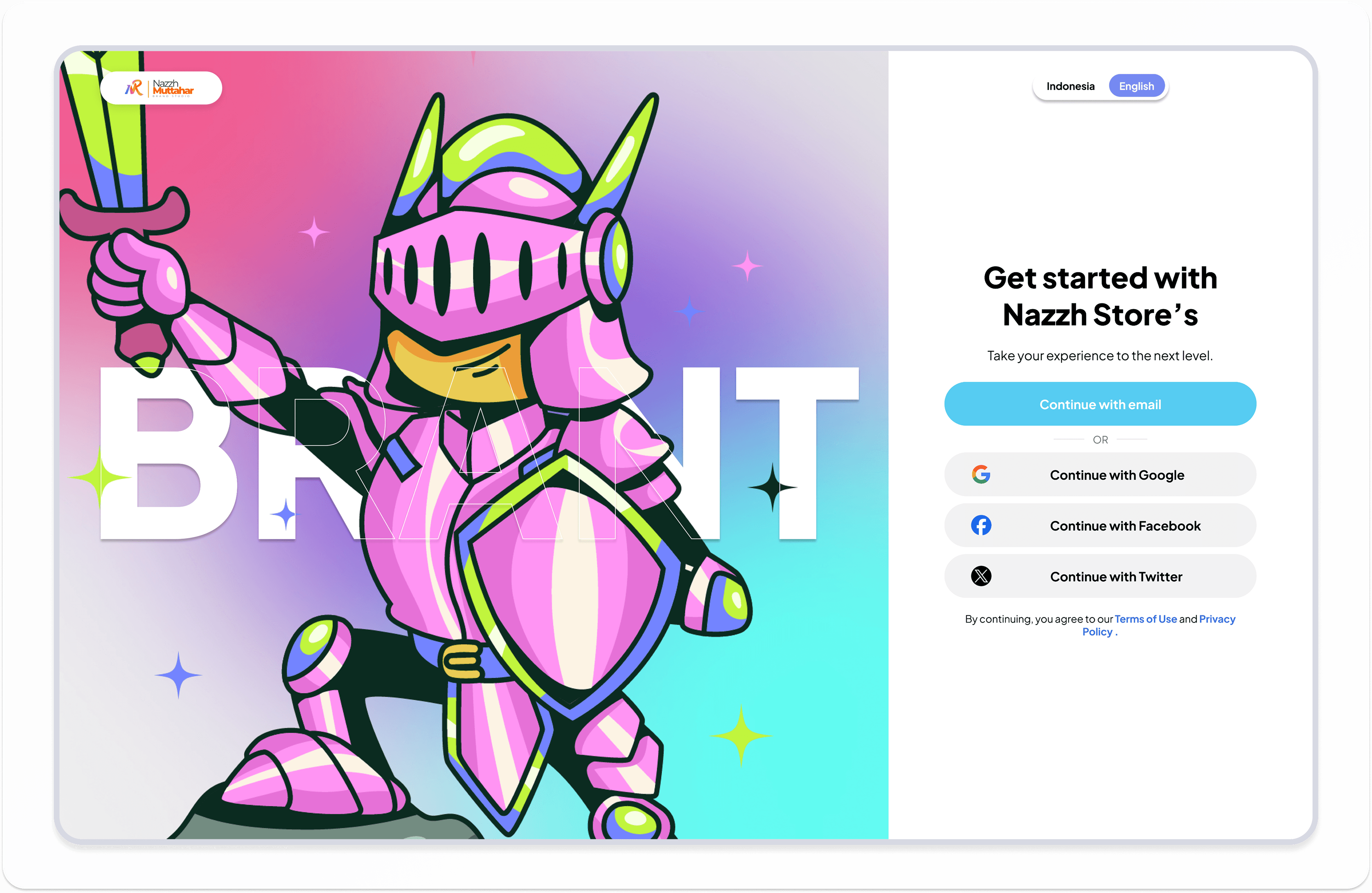
Nazzh's Store is a fast, secure, and easy top-up service for online games. You can recharge gems, coins, or favorite items with multiple payment methods, delivered instantly to your game account.
Nazzh's Store show for web
Problem
As Gojek evolved into a full super app, the home interface became increasingly crowded with services, promotions, and secondary actions.
This density created three core problems for everyday users:

Crowded Interface
Dense text walls and 50+ tiny elements per screen made property scanning impossible

Confusing Checkout
Buried CTAs, unclear total costs (hidden fees), and non-linear payment flow caused 60% cart abandonment
Poor Comparison Flow
No side-by-side property view—users had to tap through 5+ screens to compare prices/amenities
Solution
To address these issues, the redesign intentionally reduces choice at the top level and defers secondary services, allowing the interface to optimize for speed, clarity, and habitual usage.
De-Cluttered Discovery
Replaced 50+ tiny elements with interactive property cards (60% hero image, 3-line key info max) and one-tap filters ("Beachfront", "Pet-Friendly") with live price animations.
Swipe-to-Compare Hub
Introduced horizontal swipe carousel showing 3 properties side-by-side (price/rating/amenities), eliminating 5+ screen taps—users now compare in seconds.
Transparent Linear Checkout
Live cost calculator (base + taxes + fees auto-summed), prominent pulsing "Book Now" CTAs, and calendar heatmap for best-price dates, reducing cart abandonment friction.
Design Process
Auditing Current App
To gain deeper insights into Gojek’s existing experience, I conducted a comprehensive audit assessing its navigation flow, interface clarity, and overall usability.
Analyzing Similiar Apps
I analyzed several comparable services to identify best practices and innovative features that could be incorporated into my redesign.
Search Bar

Category/Filter

Detail Information

Payment Overview

Ideation
Based on the ideation process, I restructured the navigation to make core services easier to access and reduce visual complexity. The following sitemap comparison shows how the original structure was simplified into a more focused and task oriented layout.

Key insights showed that users often complained about unreliable payments and delayed transactions, while still valuing a smooth and simple flow. They prioritized convenience and security, but in practice relied on web platforms like Codashop despite frequent issues. Emotionally, they felt excitement when transactions succeeded but also frustration with cluttered UI, poor connections, and unclear error messages.
This mapping connected functional pain points with emotional needs, guiding which areas to prioritize in the redesign.
Affinity Mapping
I grouped recurring themes into clusters to reveal overlapping frustrations and needs.
This showed how reliability, clarity, content, and social features are interconnected, guiding what to prioritize in the design.

User Journey Mapping
To really see what user go through, I mapped their top-up journey step by step. Walking through each stage revealed not just the flow, but also the frustrations that kept getting in the way. From here, it became clear that the journey highlighted the need for:
A smoother entry flow that reduces repeated logins and makes getting started effortless.
Simpler navigation and categorization, so players can quickly find the vouchers they need.
More trustworthy transactions, with faster confirmation and fewer failed attempts.
Post-purchase engagement, like promo or event updates, that turn a simple top-up into an ongoing connection.

Site Map
As patterns from the journey began to take shape, I wanted to see how everything connects. The sitemap refined the flow uncovered during the journey mapping, outlining a structured path that balances clarity and function. Each section was designed to minimize friction and guide users toward completing their goals efficiently.

High Fidelity Mockups
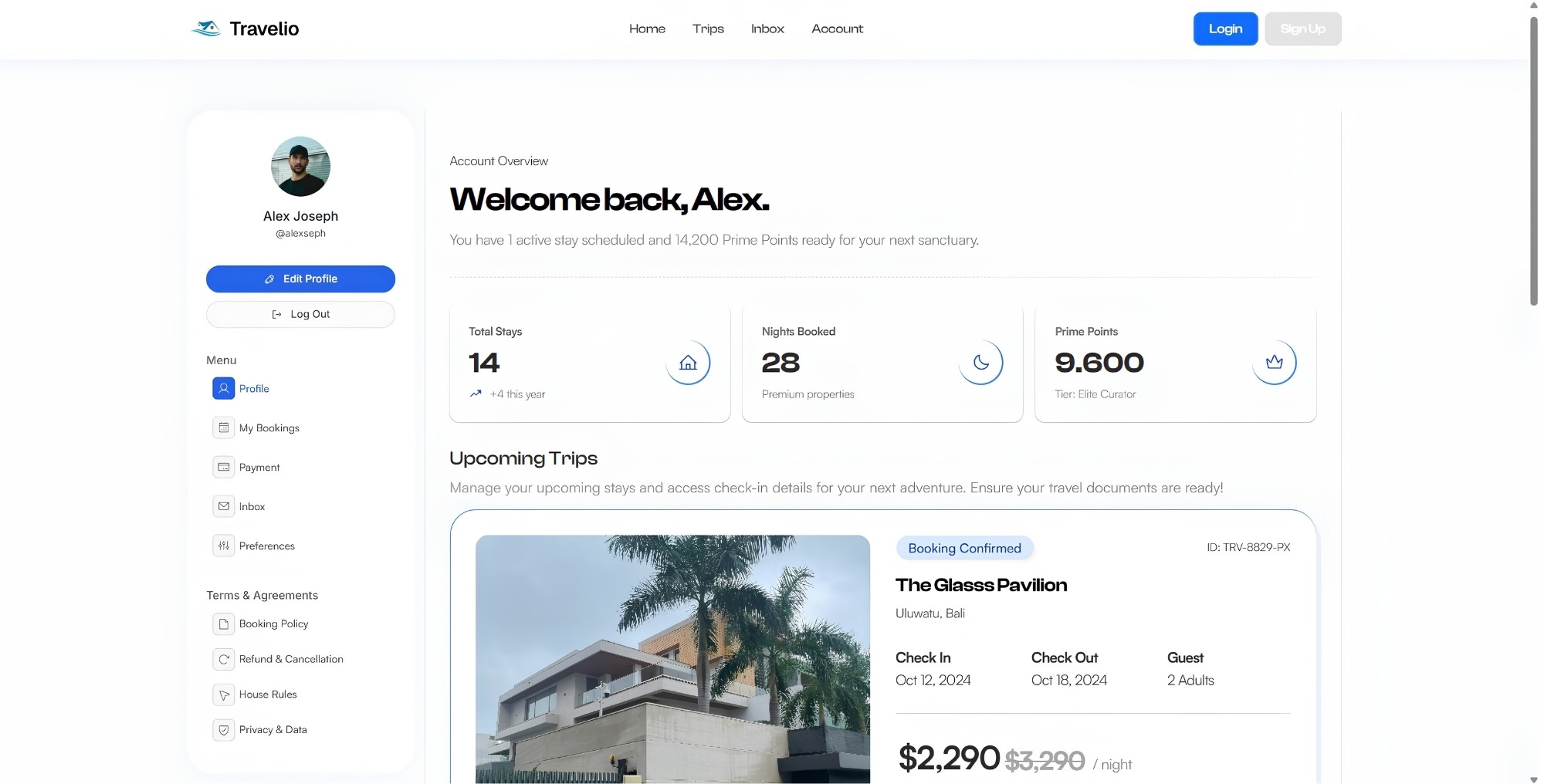
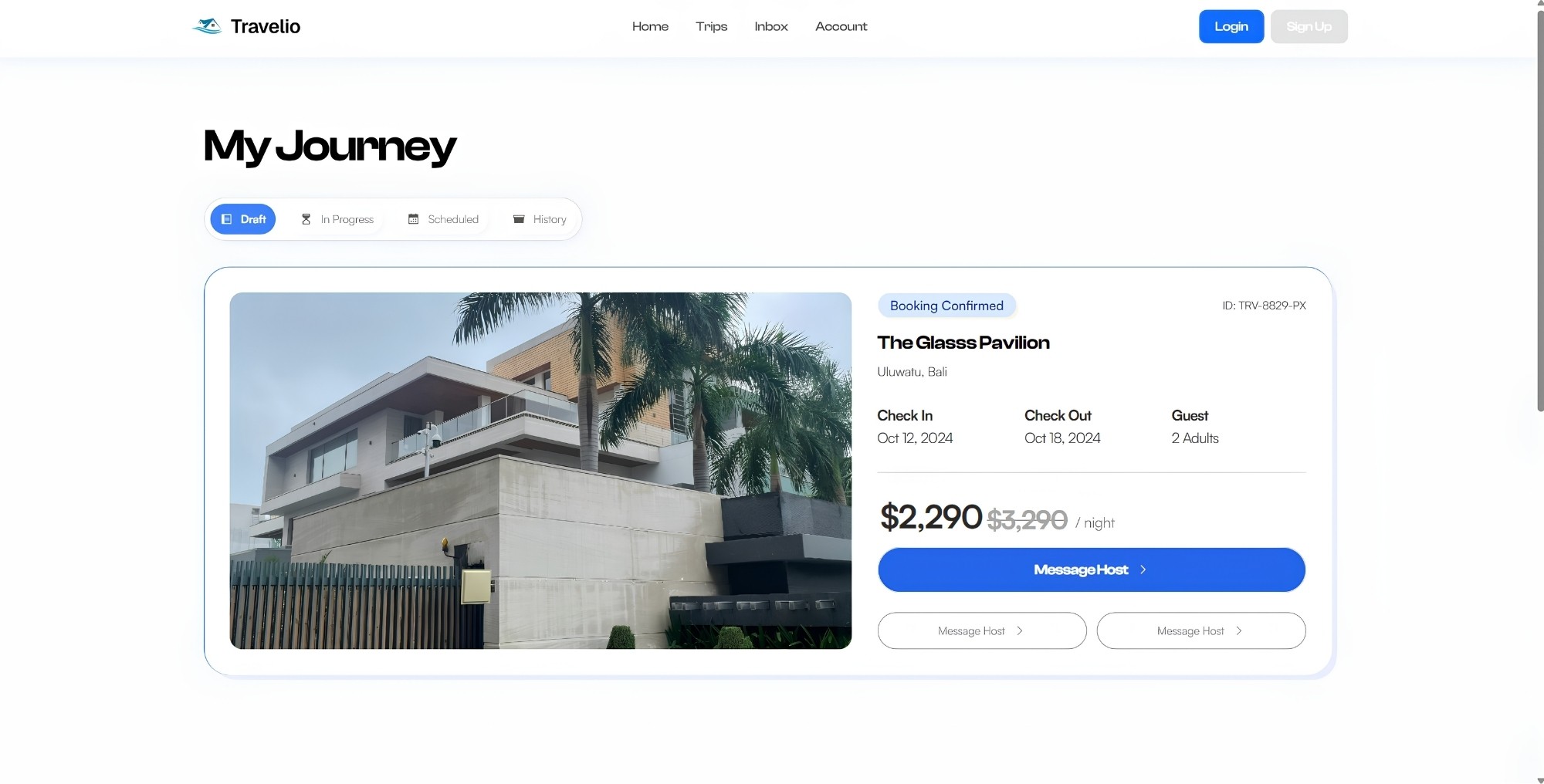
At this stage, I refined the typography, spacing, and component behavior across the key screens. The focus was on creating a simpler home experience, highlighting the most frequently used services, and building a consistent visual system.


User Testing
To validate the redesign, I conducted usability tests with a small group of users. The sessions focused on how easily they could access the main services, understand promotions, and complete transactions. The feedback helped refine the navigation, improve clarity on the home screen, and simplify the overall flow.
Design Systems
Color Palette
Used a warm orange as the primary color to reflect energy, approachability, and everyday mobility. Supporting yellow accents enhance highlights and promotions, while blue tones provide balance and clarity for functional elements across the interface.
Primary

Neutral

Accent

Typography
Plus Jakarta Sans
AaBbCc
The fluffy kitten chased the red laser dot
0123456789
Plus Jakarta Sans delivers strong hierarchy with clean, modern, making it ideal for headings and primary elements.
Satoshi
AaBbCc
The fluffy kitten chased the red laser dot
0123456789
Satoshi ensures clear, balanced readability for descriptions and numerical content, supporting a clean and functional UI.
Conclusion
The redesigned Gojek interface focuses on clarity, speed, and everyday usability. By prioritizing the most used services, simplifying the layout, and reducing visual noise, the experience becomes more direct and easier to navigate. These improvements help users complete tasks faster while maintaining consistency across the interface.
Reflection
Real Usage Drives Structure
Prioritizing the most frequently used services helped reduce decision time and made the home screen more intuitive.
Simplicity Improves Speed
Cleaner layouts and fewer visual distractions allowed users to move through tasks with less friction.