


Internship Project
2024
This redesign focuses on making the shopping experience feel simpler and more intuitive. By cleaning up the homepage, improving how product information is presented, and simplifying the checkout flow, users can browse, compare, and complete transactions with less effort and confusion.
Solo Project
Daffa Nazhiiff Muttahar
UI/UX Designer
Duration
2 Months
13 Sep - 2 Nov 2024
Tools
Figma
Miro
What is Gojek for?
Nazzh's Store is a fast, secure, and easy top-up service for online games. You can recharge gems, coins, or favorite items with multiple payment methods, delivered instantly to your game account.
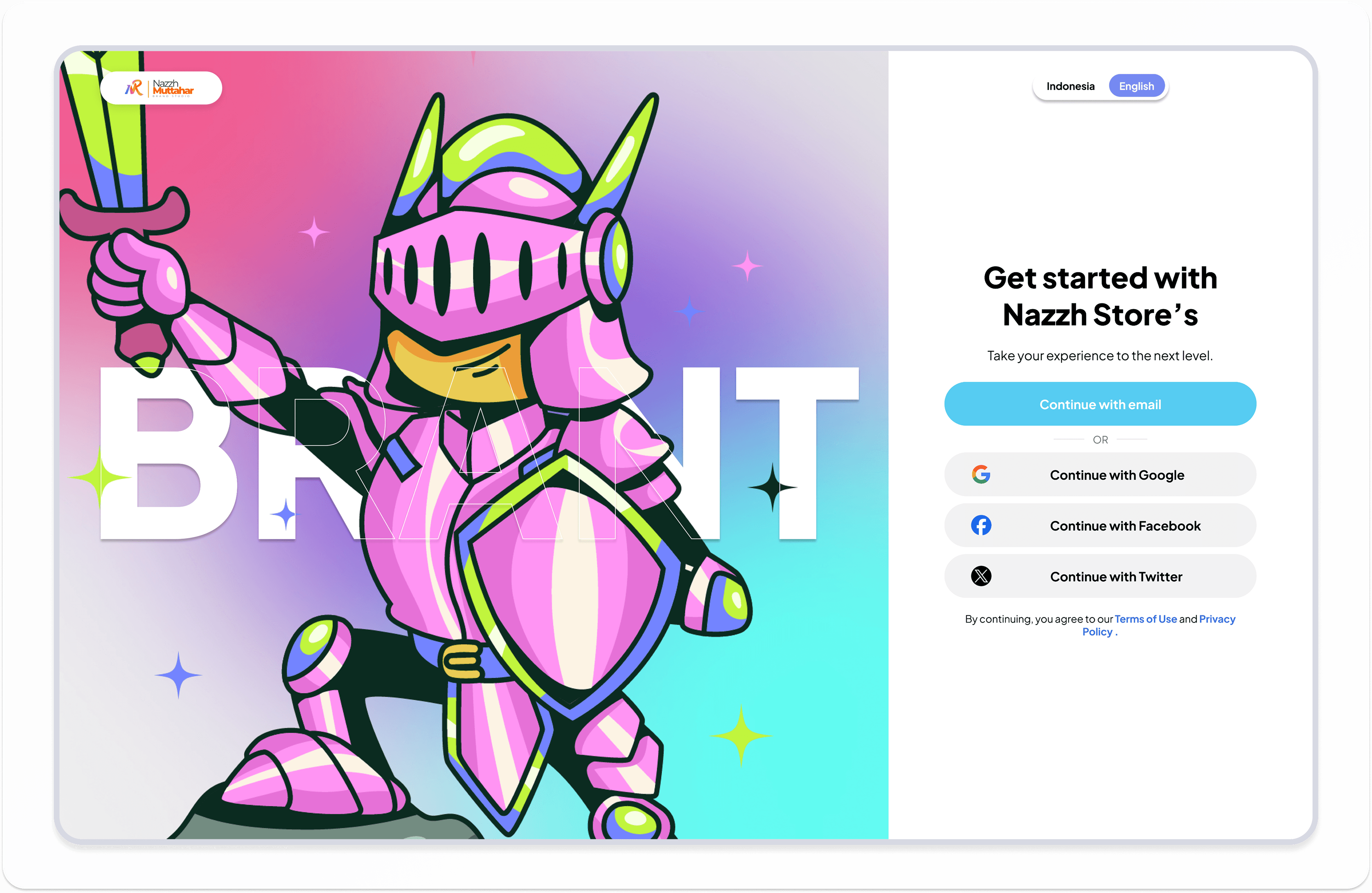
Nazzh's Store show for web
Problem
Before starting the redesign, I identified several key issues that were affecting the overall user experience, especially in how users browse, understand product information, and complete transactions.

Visual Inconsistency
Inconsistent styles created a confusing navigation.

Unclear Contrast
Weak contrast made key actions harder to spot, reducing clarity.
Slow Performance
Heavy and unoptimized components slowed down responsiveness. Without proper optimization, users experienced laggy interactions and longer loading times.
Design Process
Gathering Requirements
At the beginning of this project, I focused on understanding how users interact with the Tokopedia app, especially during product discovery and checkout. The goal was to identify friction points that slow down decision-making and reduce transaction confidence.
Through initial observation, several issues became clear, including a cluttered homepage, unclear product information structure, and a complex checkout flow that requires users to re-evaluate details multiple times.
These findings helped define the main objective of the redesign: to create a cleaner, more structured, and user-friendly shopping experience.
Research Discovery
From further analysis, I found that the current experience relies heavily on promotional content, which often overshadows essential features and creates visual overload.
Users also struggle to quickly scan product details due to inconsistent hierarchy, making it harder to compare products efficiently. In the checkout process, the lack of a clear flow leads to repeated verification of pricing, shipping, and discounts.
To validate these insights, I identified key user needs:
A clearer and more focused homepage
Better structured product information
A simpler and more transparent checkout flow
Ideation
To better understand user behavior, I mapped out what users think, feel, and do during their shopping journey.
Users often feel overwhelmed by excessive content on the homepage and want a faster way to find relevant products without distractions.
This highlights the need to reduce cognitive load and build user confidence throughout the transaction process.

Key insights showed that users often complained about unreliable payments and delayed transactions, while still valuing a smooth and simple flow. They prioritized convenience and security, but in practice relied on web platforms like Codashop despite frequent issues. Emotionally, they felt excitement when transactions succeeded but also frustration with cluttered UI, poor connections, and unclear error messages.
This mapping connected functional pain points with emotional needs, guiding which areas to prioritize in the redesign.
Affinity Mapping
I grouped recurring themes into clusters to reveal overlapping frustrations and needs.
This showed how reliability, clarity, content, and social features are interconnected, guiding what to prioritize in the design.

Competitor Analysis
To gain deeper insights, I reviewed existing competitor platforms and gathered feedback from peers who frequently purchase in-game credits. These findings highlighted the need for:
Competitor A

Competitor A excels in usability and user satisfaction, offering a smooth experience for users. However, its feature set is only average, and pricing is less competitive compared to others.
Competitor B

Competitor B stands out with strong feature completeness and audience fit. Yet, its usability feels less intuitive, pricing is higher, and overall satisfaction from users remains moderate.
Competitor C

Competitor C provides affordable pricing and fits casual gamers well. Still, its features are limited, and user feedback reflects a mixed level of satisfaction compared to other competitors.
User Persona
After spotting opportunities from the competitor analysis, I wanted to zoom in closer to the user themselves. That’s why I built a user persona—capturing who they are, what drives them, and where they struggle. This step helped me keep the design grounded in real user needs rather than assumptions.

User Journey Mapping
To really see what user go through, I mapped their top-up journey step by step. Walking through each stage revealed not just the flow, but also the frustrations that kept getting in the way. From here, it became clear that the journey highlighted the need for:
A smoother entry flow that reduces repeated logins and makes getting started effortless.
Simpler navigation and categorization, so players can quickly find the vouchers they need.
More trustworthy transactions, with faster confirmation and fewer failed attempts.
Post-purchase engagement, like promo or event updates, that turn a simple top-up into an ongoing connection.

Site Map
As patterns from the journey began to take shape, I wanted to see how everything connects. The sitemap refined the flow uncovered during the journey mapping, outlining a structured path that balances clarity and function. Each section was designed to minimize friction and guide users toward completing their goals efficiently.

User Flow
As patterns from the journey began to take shape, I wanted to see how everything connects. The sitemap refined the flow uncovered during the journey mapping, outlining a structured path that balances clarity and function. Each section was designed to minimize friction and guide users toward completing their goals efficiently.
Scenario 1:

A new user discovers Nazzh Store and creates an account to start their first top-up journey
Scenario 2:

User continues their unfinished payment process by transitioning from web to mobile
Sketch
Following the user flow analysis, I proceeded to the sketch phase as an early visual exploration. The objective of this step was to define the layout structure, content placement, and key interaction elements before moving forward to wireframes.
Part 1

This sketch illustrates the initial flow starting from user login and onboarding, continuing to product exploration. The objective is to help users quickly find and select the game they want to top up.
Part 2

This part continues the journey from entering the game ID to selecting the top-up amount, confirming payment, and completing the transaction. The process ends with users submitting a review.
Wireframing
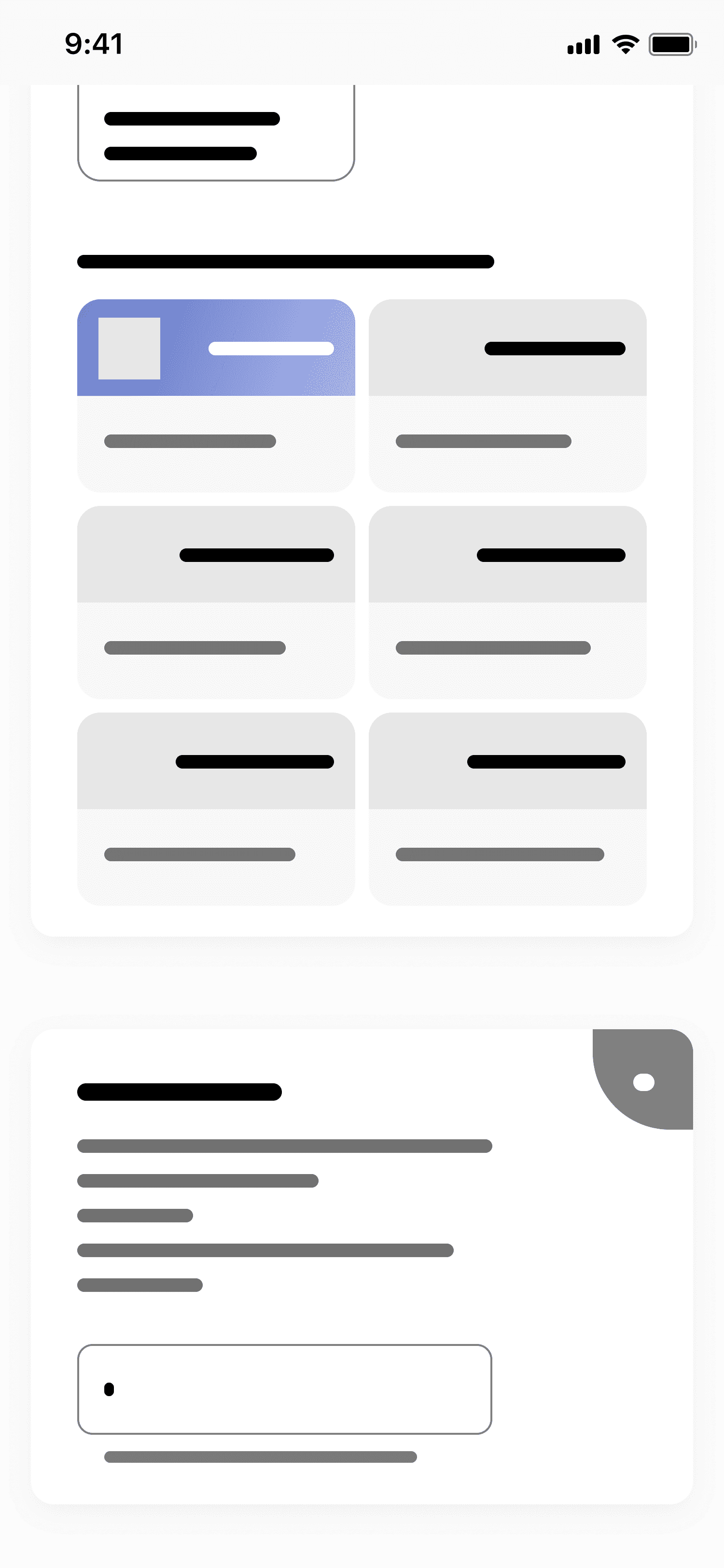
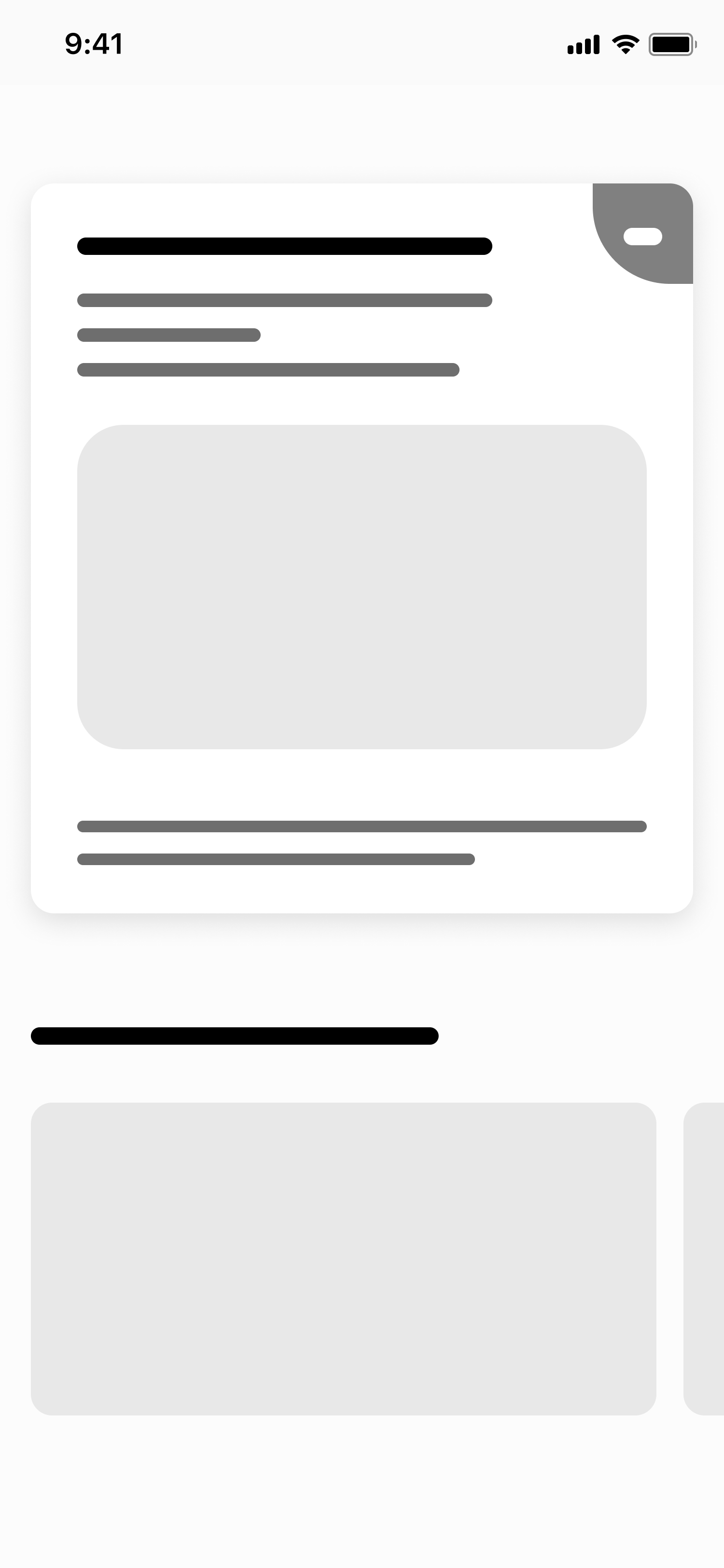
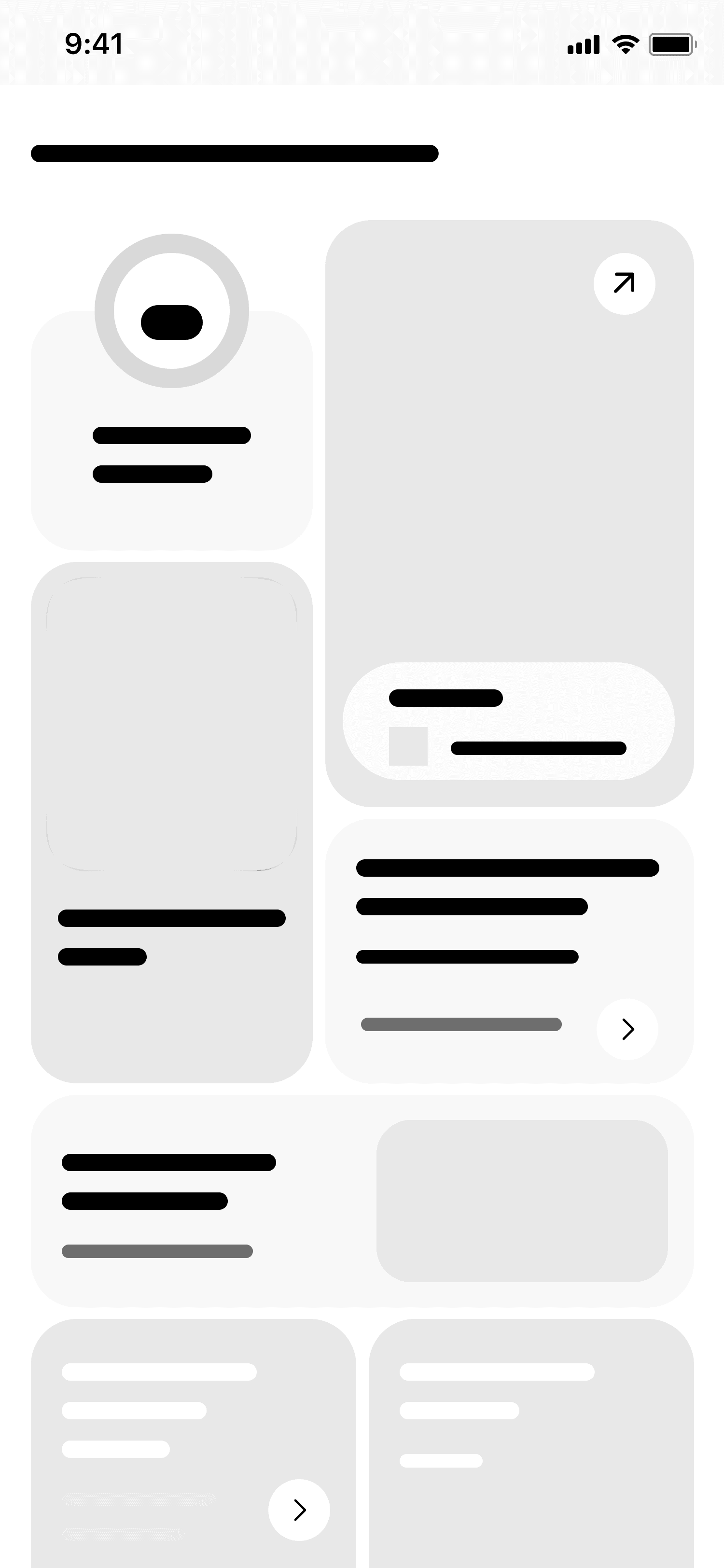
I translated initial ideas into low-fidelity wireframes to define the core structure of the experience. The focus was on establishing a clear layout hierarchy, simplifying navigation, and mapping out the main user flows without visual distractions.
By removing unnecessary details, I was able to focus on how users interact with key elements such as product browsing, wishlist, and checkout. This helped ensure that the foundation of the design was functional, structured, and easy to navigate before moving into visual design.







Prototyping
Instead of spending too much time on mid-fidelity iterations, I moved directly into high-fidelity prototyping to better simulate the real product experience. This allowed me to test how users navigate through the app, especially across homepage exploration, product interaction, and checkout flow.
With key layouts already defined, prototyping helped validate whether the redesigned flow feels more intuitive, faster, and less confusing, particularly in reducing friction during decision-making and transactions.
High Fidelity Mockups
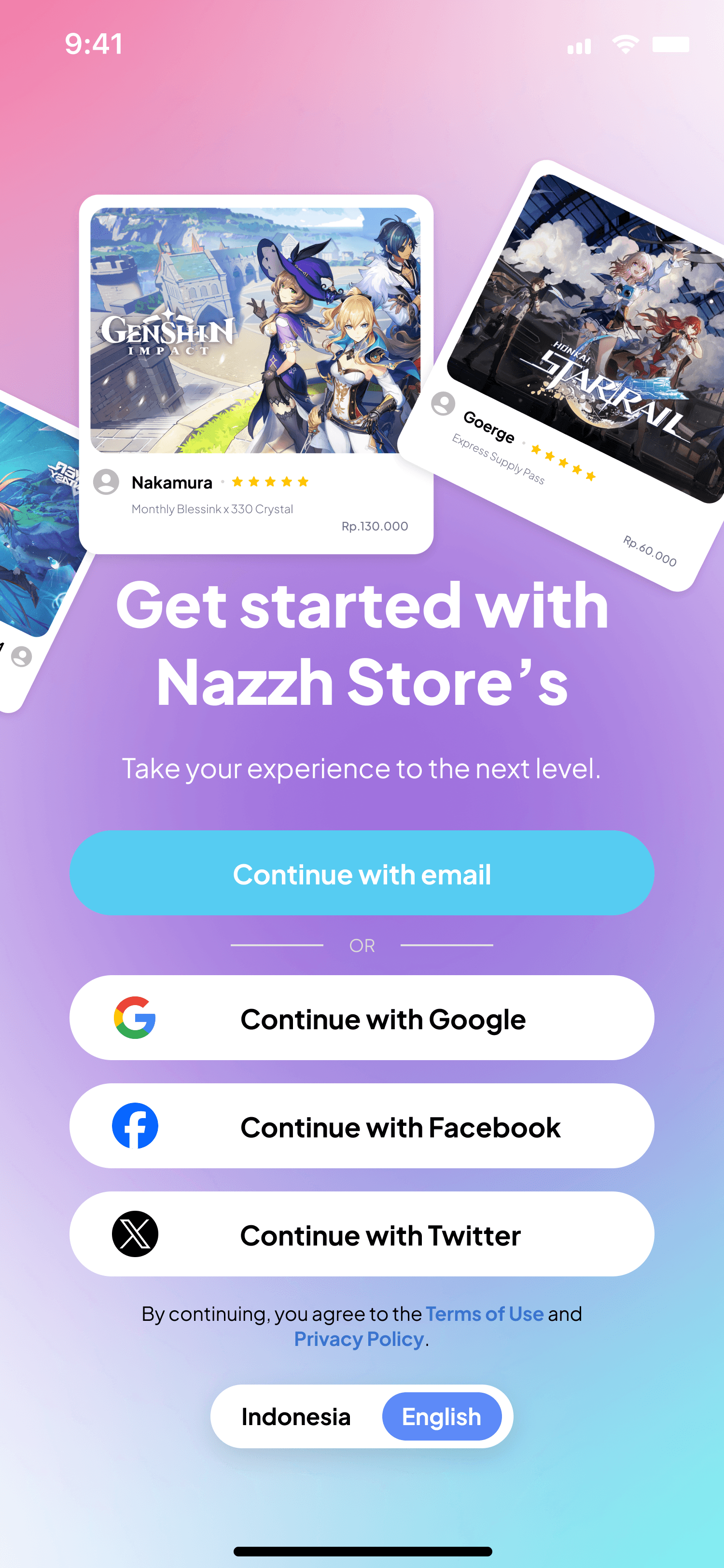
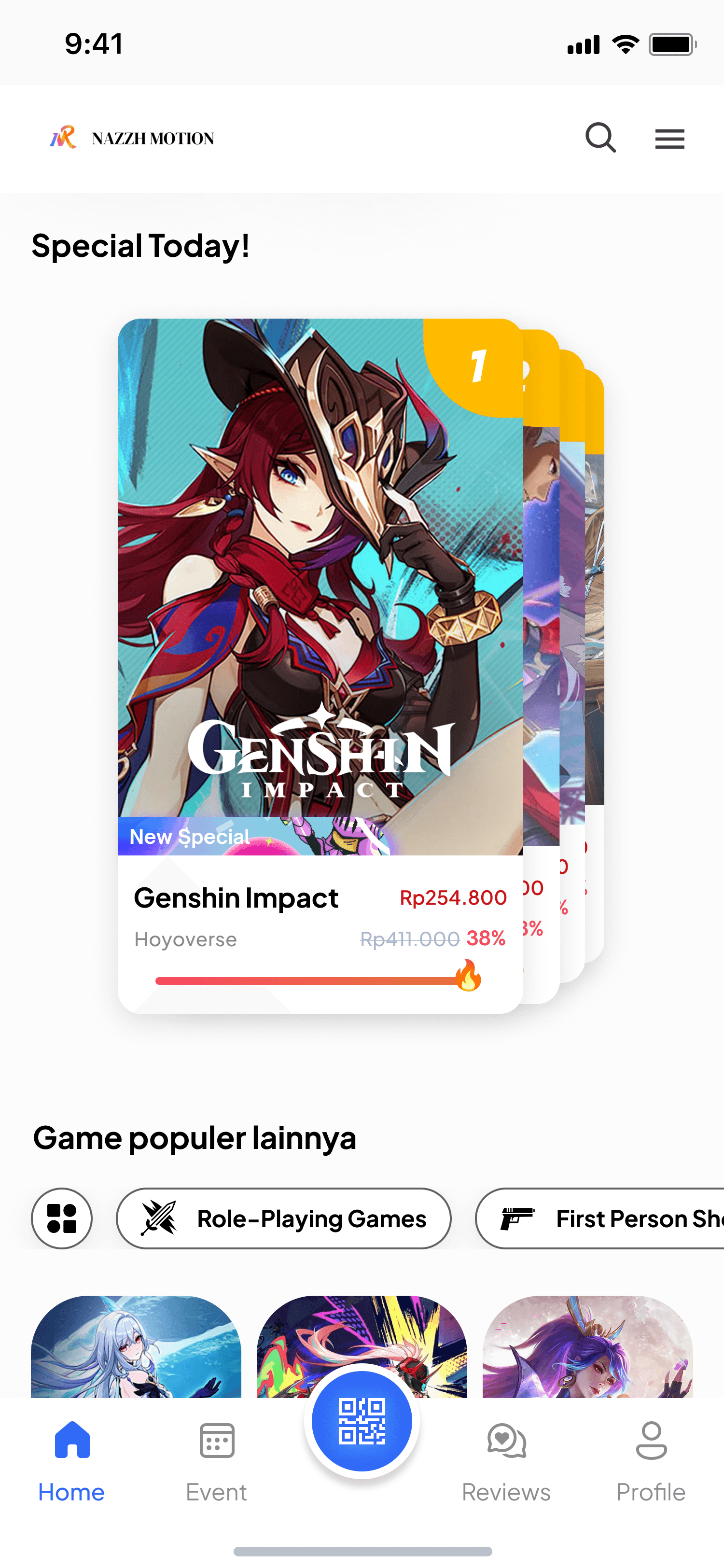
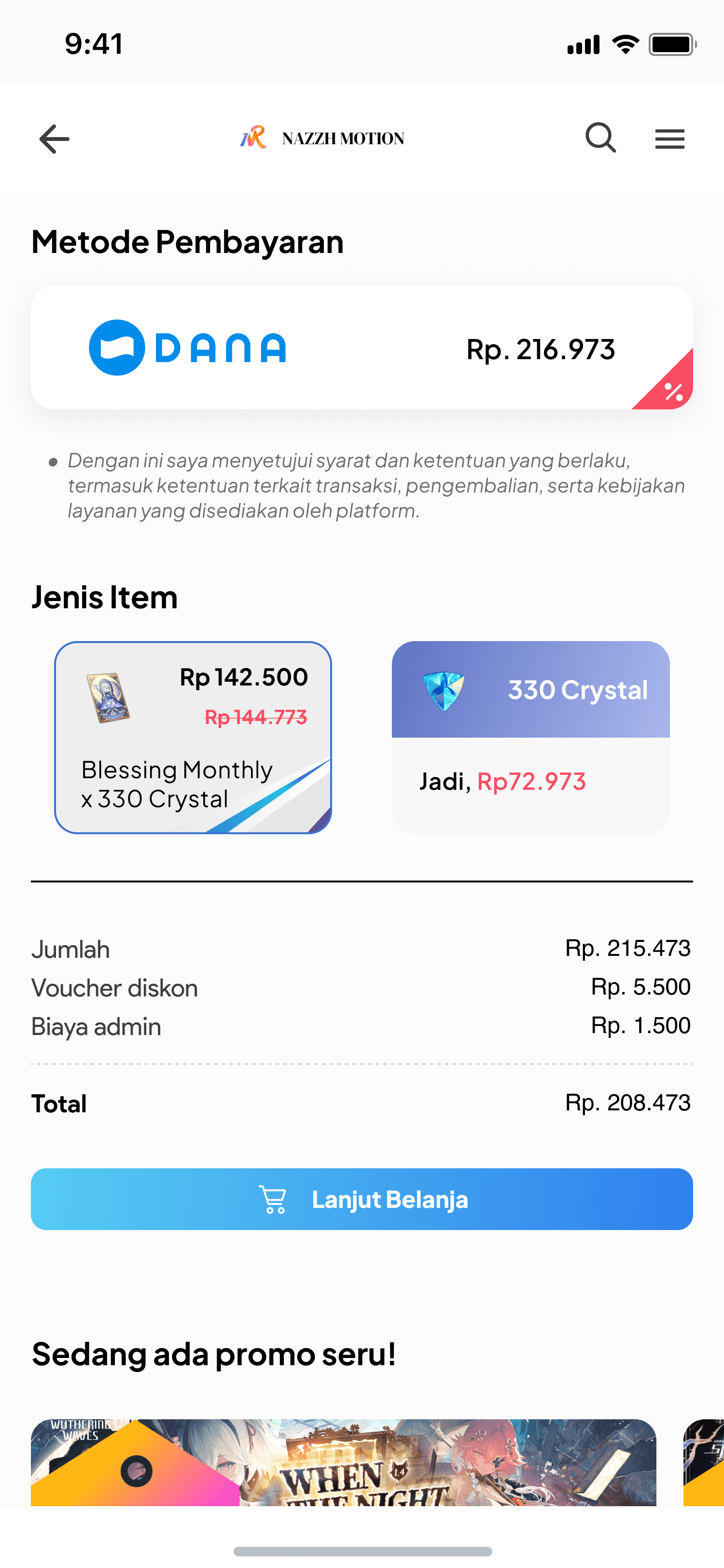
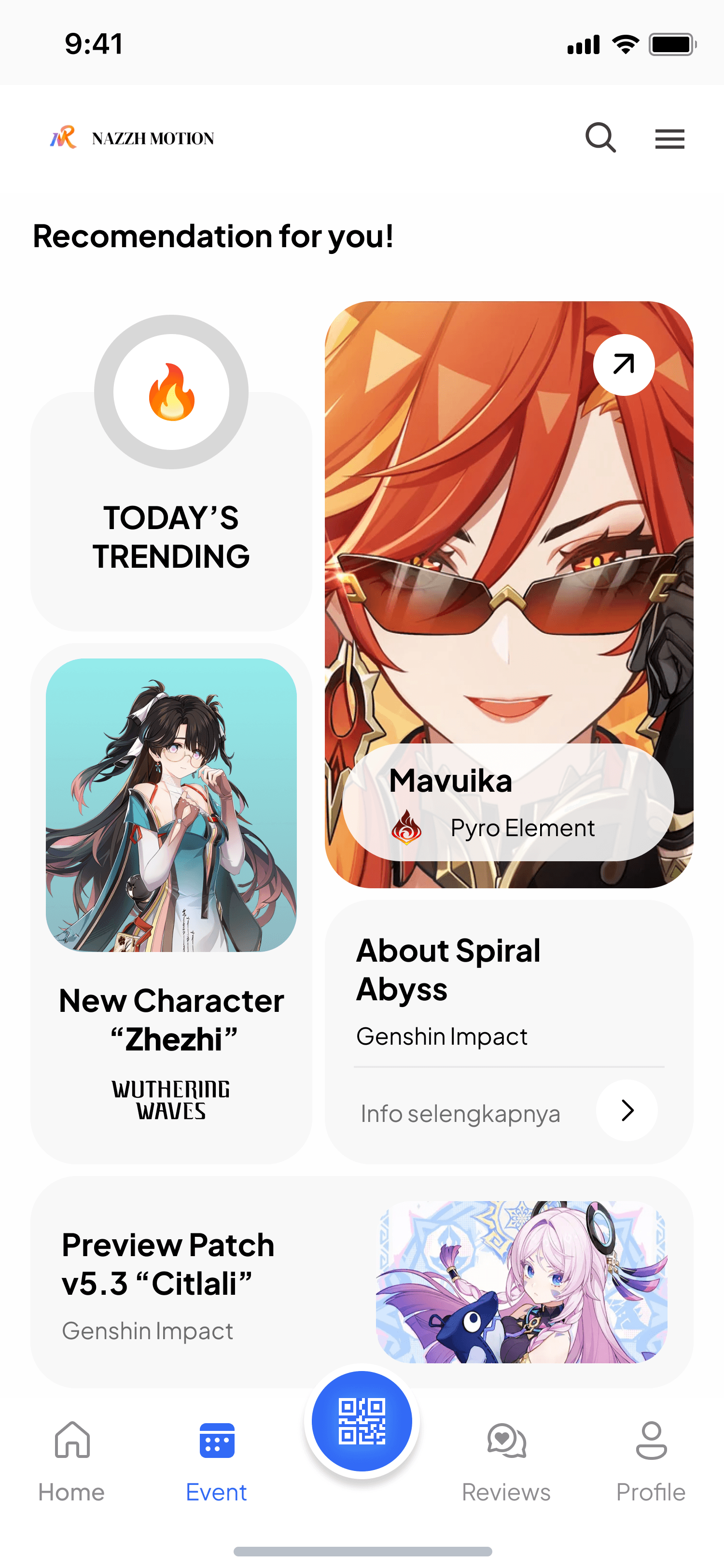
In this stage, I refined the visual design by applying a consistent system across typography, spacing, and component behavior. The goal was to create a cleaner and more focused interface, reducing visual clutter while improving readability.
Special attention was given to product presentation and pricing clarity, ensuring users can quickly scan important information.
These high-fidelity designs serve as a foundation for building a consistent and scalable UI system for the platform.







User Testing
To ensure the design worked well for users, I conducted usability tests with a small group of each. The feedback helped refine navigation and clarified how announcements and events were displayed.
Design Systems
Color Palette
Used a combination of soft purple to evoke feelings of trust and clarity.
Primary

Neutral

Accent

Typography
Be Vietnam
AaBbCc
The fluffy kitten chased the red laser dot
0123456789
Plus Jakarta Sans provides clean shapes, high readability, and strong visual hierarchy. Its modern tone matches the product’s digital identity while maintaining professional clarity in UI.
Conclusion
This redesign highlights the importance of clarity, structure, and simplicity in creating a better shopping experience. By reducing visual clutter on the homepage, improving how product information is presented, and simplifying the checkout flow, the overall journey becomes more intuitive and efficient.
Focusing on what truly matters—such as price visibility, product clarity, and a transparent transaction flow—helps users make faster decisions with less confusion. As a result, the experience feels more seamless, trustworthy, and aligned with user expectations.
Reflection
Simplicity Improves Decision Making
Reducing unnecessary elements and focusing on key information like price significantly improves how users make decisions. A simpler interface helps users reduces cognitive load during checkout.
Clarity Builds Trust
Clear and well-structured product information plays a big role in building user trust. When users can quickly understand pricing and details, they feel more confident moving forward with their purchase.